

Clipa Studio
Easy to Record.
Easy to Edit.
Easy to Share.
Make your videos look professional.
Grow your audience effortlessly.
No editing skills required — that's Clipa Studio.
macOS 15.0+ · Apple Silicon optimized · No account required
Whatever you build, Clipa fits right in.
How Start-up Expert Themselves
Ready to create your first pro video like Canva?
Free to download. No credit card required.
Three steps. That's it.
From screen to polished video in minutes — no tool-switching, no learning curve.
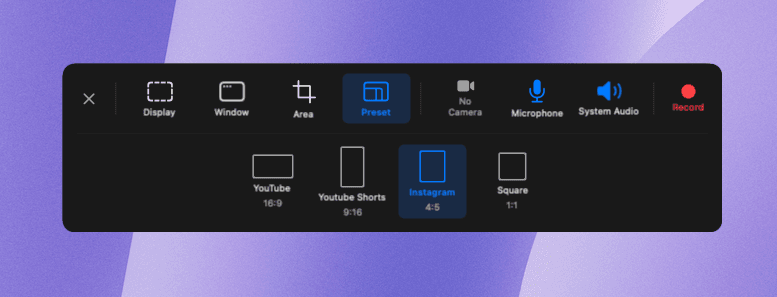
Record
- Full screen, window, or custom area
- System audio + mic + camera overlay
- Pause & resume anytime
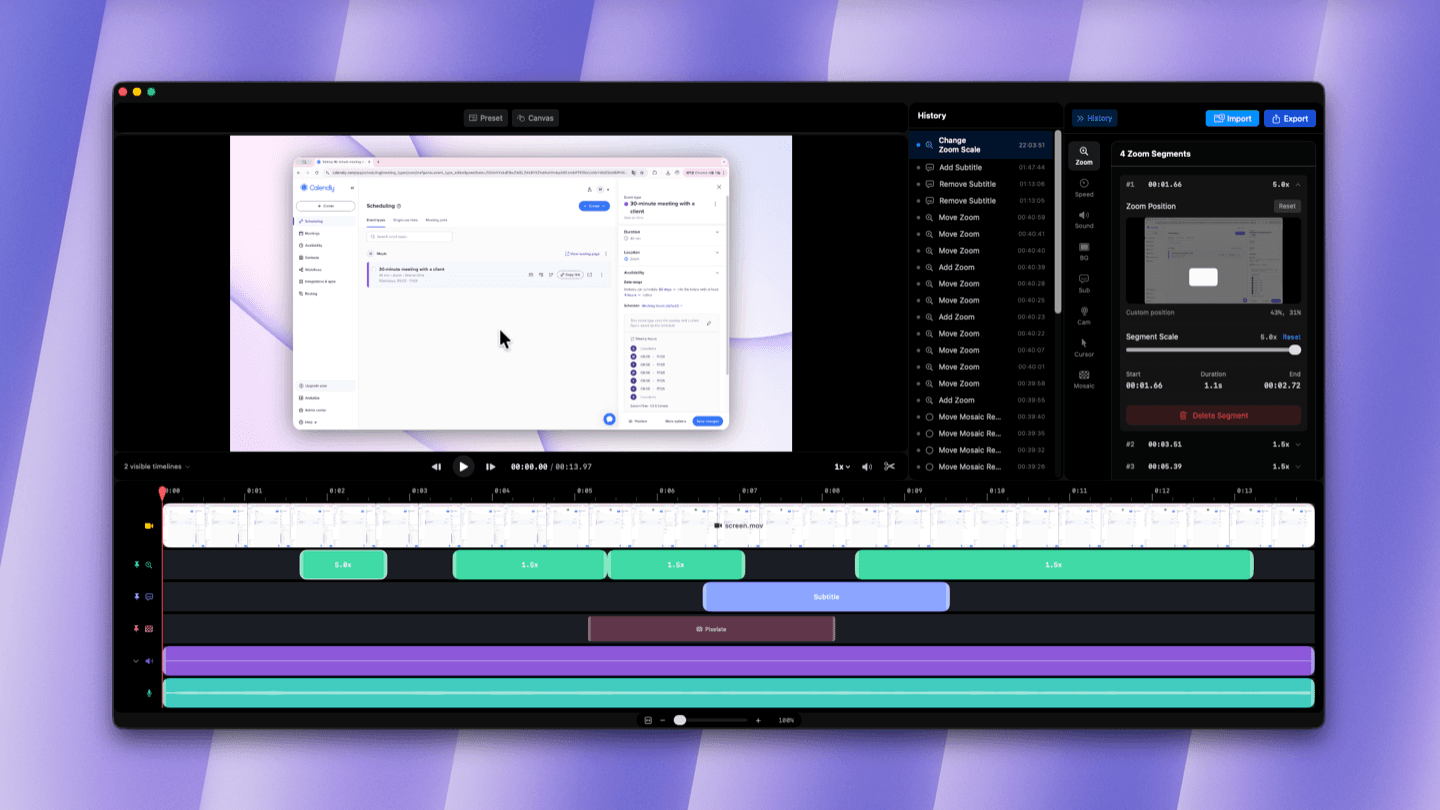
Edit
- Auto Cursor Zoom — tracks your mouse in real time
- Trim, cut, and adjust speed per clip
- Add subtitles, backgrounds, and cursor effects
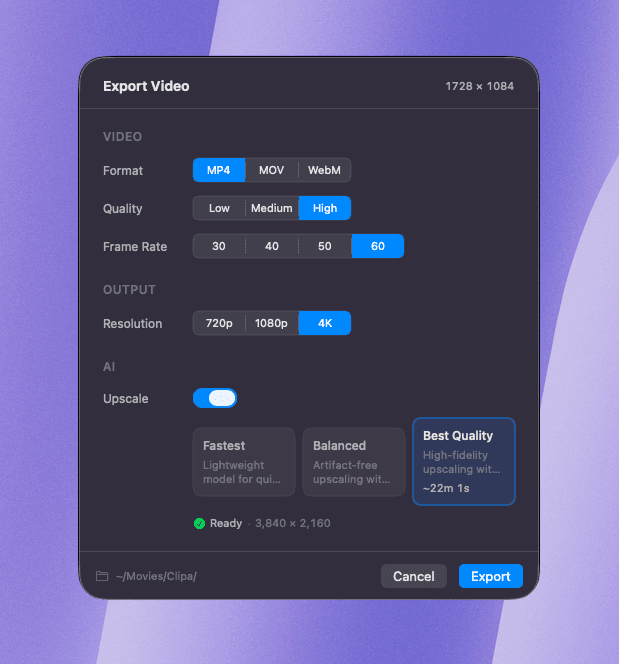
Export
- MP4, MOV, WebM — 720p to 4K
- AI Upscale with 3 models, powered by Apple Neural Engine
- YouTube, TikTok, Instagram presets in one click
Record it your way.
One floating panel. Four capture modes. No setup, no learning curve — just click and go.
All recording controls in a single floating bar — always within reach.
Full screen, window, custom area, or preset — pick what fits.
System audio, mic, and camera overlay — no extra apps needed.

Trim, cut, and polish.
Without leaving the app.
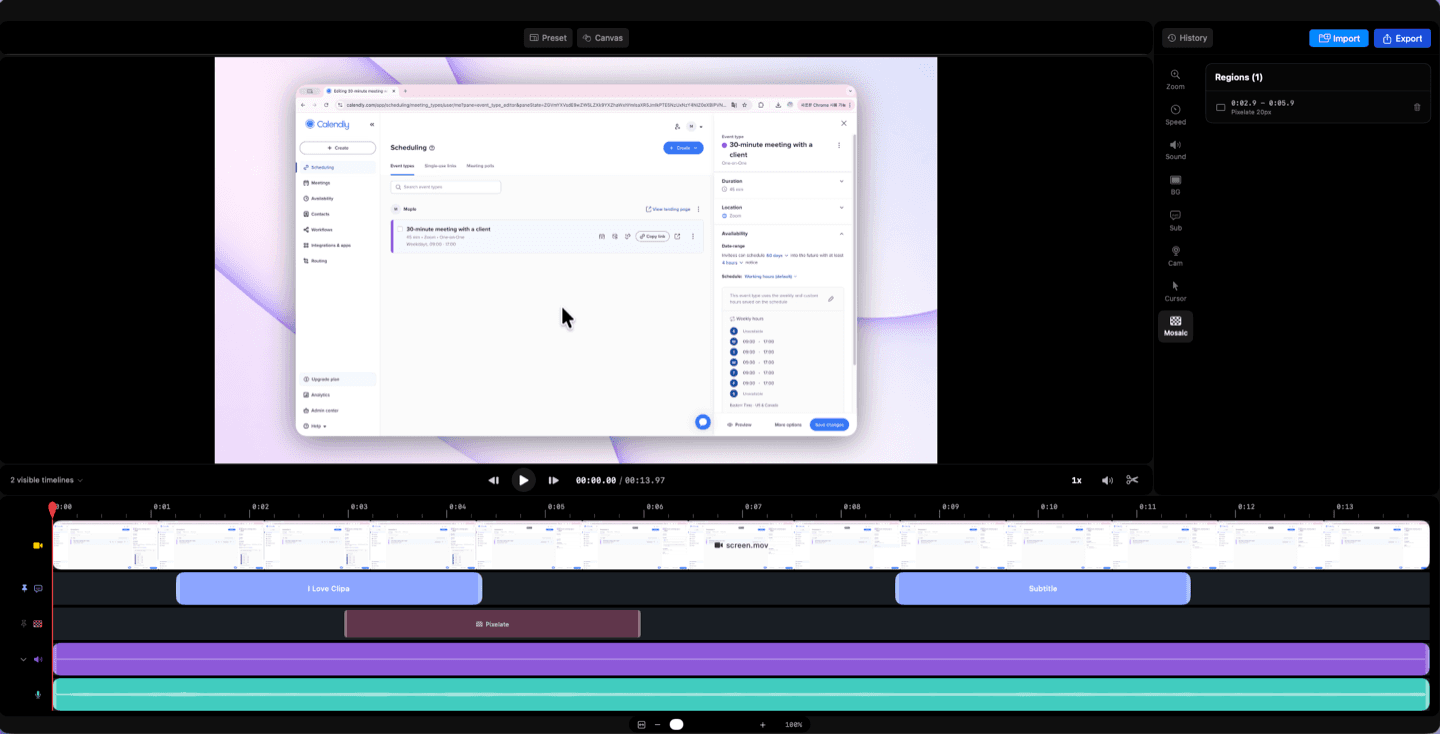
Add your style and branding.
Pick a preset that matches your vibe — background, cursor, and effects applied instantly.




Take every pixel further
with AI Upscale.

FSRCNN, ESPCN, Real-ESRGAN — choose between speed and quality for your export.
Powered by Core ML and ANE. Everything runs on your Mac — fast, efficient, and completely offline.
Upscale from 720p up to 4K. Intelligent tiling ensures seamless, artifact-free results.
Beyond the basics.
Simple tools that quietly make your recordings better.
Start free. Upgrade when you're ready.
Record, edit, and export with no time limits. Unlock AI Upscale, 50 GB cloud storage, premium presets, and more with Pro.
Forever free, no strings attached.
- Screen, window & area recording
- Full timeline editor
- Cut, trim, & speed control
- Export to MP4, GIF, WebM
Basic, Pro, or Max — 2 months free on yearly.
- Everything in Free
- Monthly AI credits for ads & images
- AI Upscale up to 4K
- Up to 100 GB cloud storage
- Public share links
Got questions? We've got answers.
Clipa Editor is an all-in-one screen recording app for macOS that covers recording, editing, and exporting in a single workflow. Most screen recorders stop at capture — leaving you to juggle separate tools for trimming, zooming, and exporting. Clipa handles it all in one place, so you go from screen to polished video in minutes with zero tool-switching.
By default, no. Recording, editing, and exporting happen on your Mac, and your videos stay on your device unless you choose to share them or use cloud storage. Pro includes 50 GB cloud storage for files you upload.
Clipa automatically tracks your mouse movement and adds smooth zoom animations in real time. It highlights exactly where your cursor goes, so your tutorials and demos look professionally edited — without you placing a single keyframe. You can also fine-tune the zoom scale and position manually if needed.
Yes. Clipa captures your screen, system audio, and microphone simultaneously. You can also add a camera overlay and position it in any of 9 preset spots on the screen — perfect for tutorials, product walkthroughs, or async team updates.
AI Upscale uses machine learning models to enhance your video resolution up to 4K. You can choose from multiple AI engines depending on your needs — whether you prioritize speed or visual quality. It all runs locally, so there's no upload or waiting on a server.
Clipa includes one-click presets for YouTube, TikTok, Instagram, and standard desktop formats. Just pick your target platform and Clipa handles the resolution, aspect ratio, and export settings automatically.
Clipa is currently available for macOS 15.0 (Sequoia) and later. A Windows version is actively in development and coming soon.
Still have questions? Send us an email →