
Screen Studio Alternative: Clipa for Mac Screen Recording and Editing
A Screen Studio alternative comparison should start from the right premise: for everyday Mac screen recording and screen video editing, the essential features are not the main gap.
Both Clipa and Screen Studio are built for polished Mac screen videos. Both cover the core workflow creators expect: screen recording, audio and camera capture, cursor or zoom emphasis, basic timeline cleanup, styling, and export. If you only ask whether the basics exist, the answer is broadly yes on both sides.
The more useful question is: once the basics are covered, which app fits your workflow and budget better?
That is where Clipa may be the better fit for some buyers. If you care about additional video import, lower current monthly pricing, and the option to buy lifetime access instead of staying on a subscription forever, Clipa becomes a practical Screen Studio alternative.
Quick Verdict
If you are comparing Screen Studio and Clipa, do not frame the decision as basic recorder versus advanced recorder. The essential recording and editing features are similar enough that most creators should compare the details that affect real projects: imported video, editing flexibility, export options, and price.
Clipa may be the more practical fit if you want the core screen recording and editing workflow, a more flexible imported-video editing path, a lower current monthly plan, and a published lifetime option.
| What matters | Essential coverage | Where Clipa may fit better |
|---|---|---|
| Recording and editing basics | Both apps support the core workflow needed for Mac screen videos: recording, audio/camera capture, zoom or focus effects, cleanup, styling, and export. | This keeps the comparison focused on workflow and value rather than suggesting that Screen Studio lacks the basics. |
| Video import | Screen Studio can create a new project from one existing MP4, but its public roadmap still lists adding or appending multiple external clips to the same project as Planned. | Clipa may be more compelling for creators who expect imported clips to be part of the editing workflow, not a one-off project starting point. |
| Current public pricing | Screen Studio's public page lists monthly and yearly subscription options. | Clipa's current public monthly price is lower, and Clipa also publishes yearly and lifetime options. |
| Lifetime access | Not every creator wants another recurring software subscription. | Clipa publishes a lifetime option, which is useful for buyers who prefer paying once. |
The Essential Features Are Mostly Covered on Both Sides
For a screen recorder comparison, it is easy to overstate feature gaps. That makes the article less credible. The more stable argument is that both apps handle the important foundation.
Screen Studio's official page highlights automatic zoom, cursor smoothing, webcam, microphone and system audio recording, vertical output, export presets, shareable links, GIF export, and 4K 60fps export. Clipa's site highlights screen, window, and area recording, system audio plus microphone plus camera overlay, Auto Cursor Zoom, timeline editing, subtitles, platform presets, AI Upscale, and MP4, MOV, and WebM export from 720p to 4K: Clipa Studio.
That means the buying decision should not be written as if Screen Studio lacks the essentials. It does not. The argument is more credible when it says: if both apps already cover the essentials, Clipa may be the better-value choice for creators who want import flexibility, lower pricing, and a lifetime option.
Video Import Is One Practical Difference
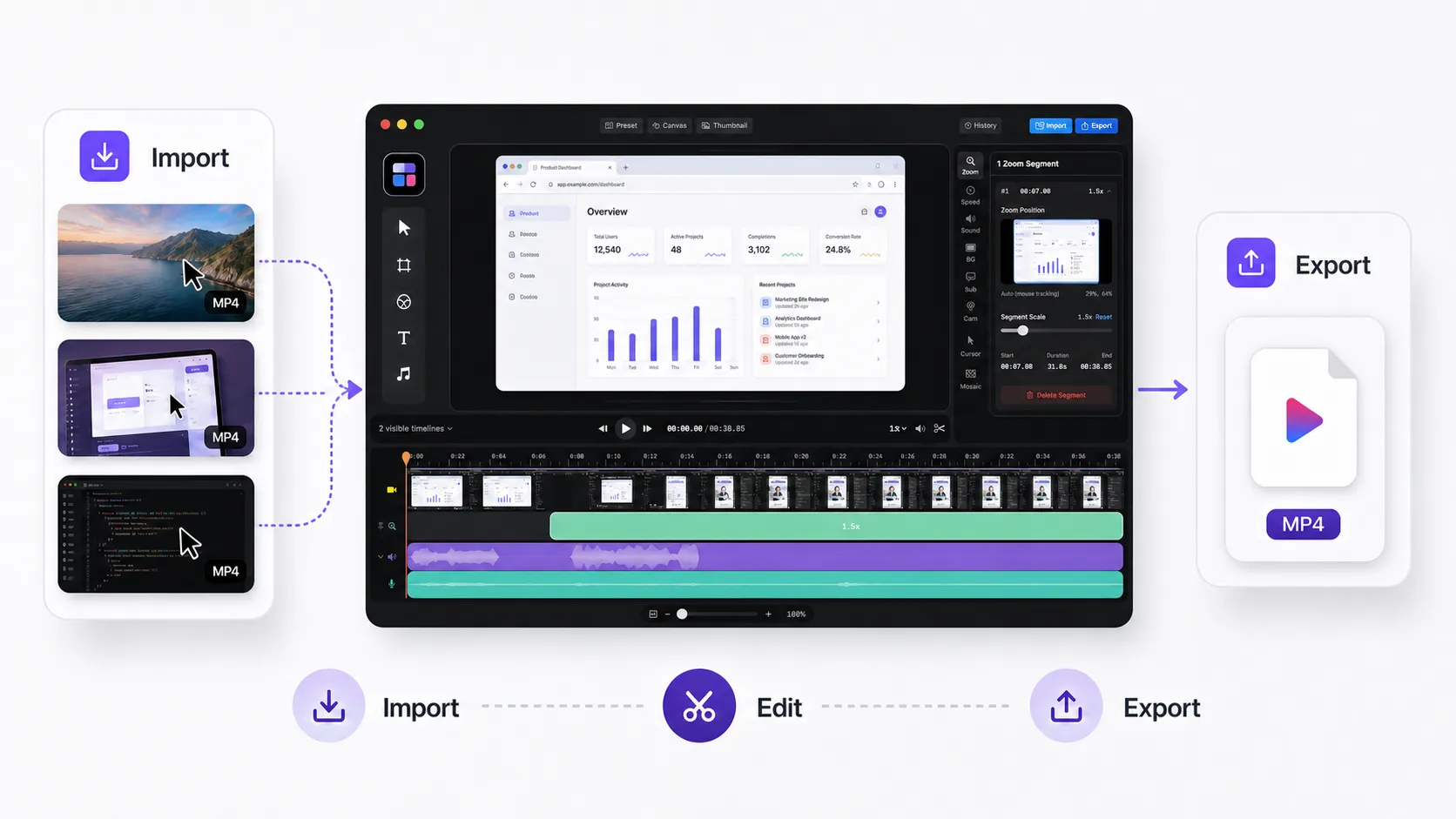
Video import is where the comparison becomes more concrete.
As of May 11, 2026, Screen Studio's official guide says you can create a project from an existing video through File → Create project from video, and that the source video must be MP4. The same guide says imported videos can use most visual enhancement features, including zooms and other effects.
But that is not the same as a flexible multi-clip import workflow. Screen Studio says recording-time data such as mouse cursor animations and selfie camera is not available for imported content. Its public roadmap also says importing multiple clips or appending external clips to the same current project is not currently available and is marked Planned
| Import workflow | Screen Studio | Clipa comparison point |
|---|---|---|
| Import one existing video | Supported as a new project when the source is MP4. | Useful, but not enough if your workflow depends on combining several pieces of footage. |
| Use recording-only metadata after import | Limited. Cursor animations and selfie camera data are not available for imported content. | Clipa should be positioned around practical editing of imported material, not recovered recording metadata. |
| Append multiple external clips to one project | Public roadmap status is Planned. | This is one of the clearer Clipa comparison points for creators who reuse clips, combine retakes, or build videos from mixed sources. |
The balanced takeaway is this: Screen Studio does support importing an existing MP4, but its import path is still limited for creators who want to append or combine multiple external clips inside one project. Clipa becomes easier to justify when imported video is part of the normal editing workflow.
Price Is One Practical Clipa Advantage
Price should not be hidden in a comparison like this. If the essential recording and editing features are already covered, price becomes one of the clearest comparison points.
Current public pricing shows Clipa with a lower monthly price. Clipa's pricing page metadata lists Monthly at $21, Yearly at $96, and Lifetime at $240, with the page description saying plans start from $8/month: Clipa Pricing. Screen Studio's public pricing section lists Monthly at $29/month and Yearly at $9/month billed yearly: Screen Studio pricing.
Because pricing can change, the final buyer should always check the live pricing pages. But the article's positioning is clear: Clipa is not only a Screen Studio alternative because it records and edits screen videos. It can also be the more economical option because its current monthly plan is cheaper and it offers a lifetime option.
Where Clipa May Make More Sense
A useful comparison article does not need to force a winner. Screen Studio is a polished, established option. The more trustworthy approach is to acknowledge that baseline, then explain the situations where Clipa may make more sense.
Clipa may be the better fit when:
- You need the essential screen recording and editing workflow, not a completely different product category.
- You want to work with existing or imported video material as part of editing.
- You want AI Upscale and platform export presets in the export path.
- You want a lower current monthly price than Screen Studio.
- You want the option to buy lifetime access instead of adding another recurring subscription.
Bottom Line
Clipa is a practical Screen Studio alternative because it keeps the expected essentials in place. Screen recording, audio and camera capture, zoom, editing, styling, and export are all part of the workflow.
Clipa becomes especially compelling after that baseline: imported-video workflow, lower current monthly pricing, and a published lifetime option.
Try Clipa at https://www.clipa.studio and compare it with a real video project. If the essential features are already covered, the right tool is the one that fits your editing workflow and costs less to keep using.